The Classic Company Profile Template: A Balanced Evaluation
In the realm of business communication, a well-designed company profile is a cornerstone document. It serves as a formal introduction, a portfolio of capabilities, and a critical tool for building trust with clients, investors, and partners. For professionals tasked with creating this document, the process can be daunting, especially without dedicated design resources. This evaluation focuses on the Classic Company Profile, a specific layout template marketed as a solution for this common need.
What is the Classic Company Profile Template?
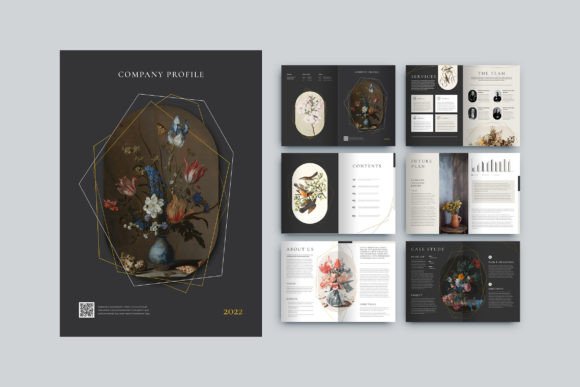
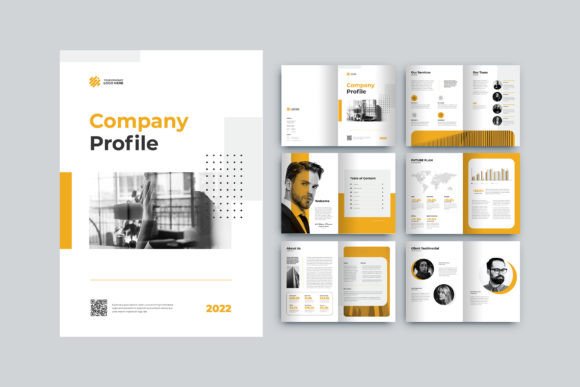
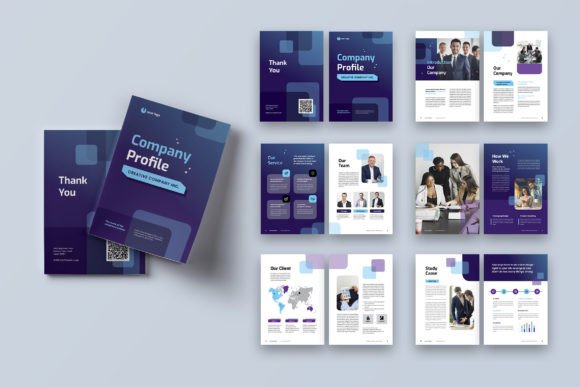
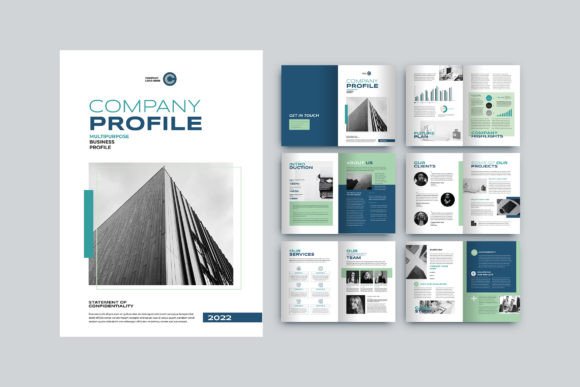
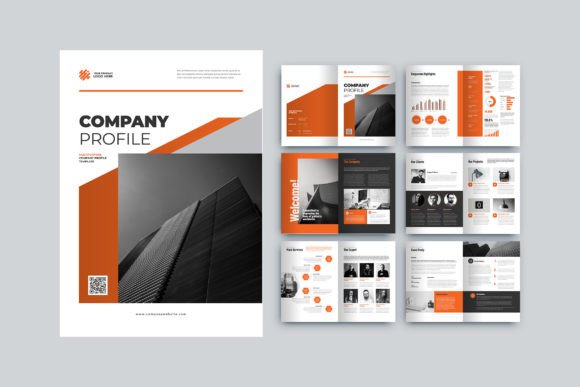
The Classic Company Profile is a pre-designed document template for Adobe InDesign. Its core promise is to provide a structured, professional starting point for creating a company profile booklet. The template is defined by an A4 size (29.7cm x 21cm), includes 12 custom pages spanning from front cover to back cover, and is supplied in the standard InDesign file formats (INDD and IDML) along with a PDF document. Key advertised features include neatly organized layers, smart object functionality, the use of freely available fonts, CMYK color format for print readiness, and settings for 300 DPI resolution with bleed margins.
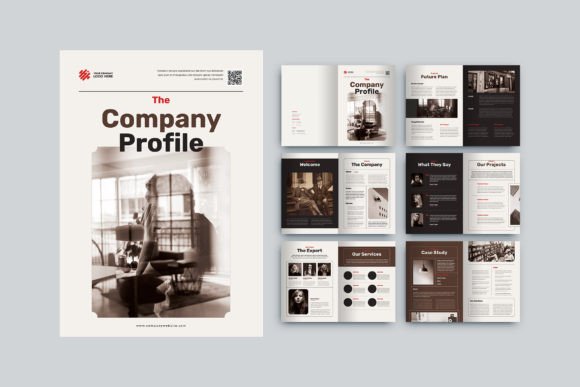
It is important to understand that this product is a template, not a finished document. The visuals shown in previews are for demonstration only; users must supply their own images, branding, and textual content. The value proposition lies in its layout framework—it aims to reduce the time and design expertise required to produce a polished, multi-page document by providing a predefined grid and style structure.
Potential Benefits and Primary Use Cases
For certain users and situations, the Classic Company Profile template can offer significant practical advantages.
Core Benefits for the Target User
- Time Efficiency: For a user proficient in Adobe InDesign, starting with a 12-page layout with pre-set margins, bleed, and page structure can drastically reduce setup and formatting time compared to building from a blank document.
- Design Guidance: The template provides a concrete example of layout principles, such as combining text, infographics, and images. This can serve as a helpful guide for users with adequate design sense but who may struggle with composition from scratch.
- Technical Print Readiness: Built-in settings for CMYK, 300 DPI, and 3mm bleed address common technical hurdles in preparing a document for professional printing, potentially preventing costly errors.
- Customization Within a Framework: The promise of easy customization suggests users can adapt the style—colors, fonts, element placement—without breaking the underlying layout, maintaining a cohesive look more easily.
Situations Where It May Be a Strong Fit
This template aligns well with specific scenarios. It could be a strong fit for a small business owner or marketing manager who has access to Adobe InDesign, possesses basic competency with the software, and needs to produce a credible company profile swiftly. It is also suitable for design freelancers who wish to expedite client projects by utilizing a base template they can then tailor extensively. The inclusion of infographic-ready pages suggests a fit for companies that wish to highlight data, processes, or timelines visually alongside textual descriptions.
Important Considerations and Tradeoffs
While the benefits are clear for its target audience, a balanced evaluation requires examining the tradeoffs and practical considerations.
Dependence on Software and Skill
The foremost consideration is the absolute requirement for Adobe InDesign. This template is not a standalone tool; it is a file for a specific, professional-grade application. Users without access to or familiarity with InDesign cannot utilize it. The claim of being "very easy to use" is relative and hinges on existing InDesign skills. Tasks like replacing images in smart layers, modifying master pages, or altering graphic frames require a foundational understanding of the software.
The "Customization" Expectation
Potential users should temper expectations around customization. While colors and fonts may be changeable, significant alterations to the layout's core structure—such as radically changing page flow, adding entirely new sections, or modifying the underlying grid—could prove complex. The template provides a starting style, but deviating far from it may demand advanced design skills, negating some of the efficiency benefits.
Content and Branding Is Your Responsibility
The template supplies no content. All text, imagery, logos, and infographic data must be created, written, and supplied by the user. This means the template solves the design framework challenge but not the content creation challenge. The final document's quality will heavily depend on the user's ability to produce compelling written copy and source high-quality, appropriate photographs or graphics.
Evaluating Alternatives and Making a Decision
Determining if the Classic Company Profile template aligns with your needs involves comparing it to other available paths.
Situations Where Alternatives Merit Consideration
- No Access to Adobe InDesign: If you do not own or have experience with InDesign, alternative routes are essential. These include hiring a freelance designer, using online drag-and-drop design platforms tailored for brochures, or utilizing template systems within more accessible software like Microsoft Publisher or even advanced PowerPoint.
- Requirement for a Single-Page Profile: If your needs call for a concise one-page overview rather than a 12-page booklet, this template would be inefficient. Many single-page InDesign or alternative software templates exist that would be more appropriate.
- Need for Complete Brand Control: For companies with a strict, established brand guideline that dictates very specific layouts, a generic template may be too restrictive. Starting from scratch or using a bespoke template designed by your brand agency might be necessary to comply with precise standards.
- Budget for Professional Design: If budget allows, commissioning a custom-designed company profile from a graphic designer will yield a unique document perfectly tailored to your brand narrative, often with the designer handling both layout and content integration.
Practical Decision-Making Insights
To decide if this template is right for you, conduct a simple self-assessment. First, confirm your access and functional skill level in Adobe InDesign. Second, analyze your content readiness: do you have finalized text, images, and data prepared? Third, review the template previews critically: does the demonstrated style and "classic" aesthetic align with your company's desired tone? If the answers are yes, the Classic Company Profile template can be a practical tool to accelerate production. If significant gaps exist in software skill, content readiness, or style alignment, then pursuing an alternative method—such as a different design service or allocating time to learn InDesign fundamentals—may lead to a more successful outcome.
In summary, the Classic Company Profile template is a specialized tool with a clear purpose. It offers a structured, technically sound foundation for creating a multi-page A4 company profile within Adobe InDesign. Its value is real for users who match its prerequisites. A careful evaluation of your own resources, skills, and project requirements against its benefits and limitations will reveal whether it is a helpful shortcut or if your path to a professional company profile lies elsewhere.