Clean Outline Icons for Business and Technology Projects
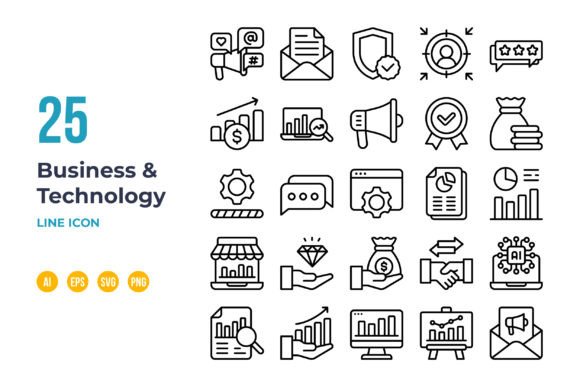
Visual communication is a cornerstone of modern digital work. Whether you are designing a website, creating an app interface, or building a presentation, the icons you choose carry significant weight. They guide users, convey complex ideas instantly, and establish a professional aesthetic. The Business and Technology Icon in Outline set addresses this need directly, offering a library of 100 simple, clean symbols designed specifically for clarity and versatility.
The Practical Power of a Unified Icon System
For professionals managing multiple projects, consistency is a silent but powerful asset. Using disparate icon sets from various sources can lead to a fractured visual language, where symbols differ in style, weight, and detail. This collection provides a unified system. Every icon adheres to the same design principles: outline style, a clean aesthetic, and a precise 64x64 pixel grid foundation. This uniformity means that when you use an "email" icon next to a "cloud server" icon, they visually belong together, creating a coherent experience for your audience without requiring extensive design adjustment.
Consider a freelance developer building a client’s mobile app. Integrating these icons ensures that from the login screen to the settings menu, the graphical elements feel part of a single, intentional design. This cohesion strengthens user trust and perception of quality. For a marketer assembling an infographic, the consistent style allows for a faster, smoother design process, where the focus remains on the data and narrative, not on reconciling mismatched visuals.
Scalability and Editability: Designed for Real-World Use
A key feature that moves this set from a static asset to a flexible tool is its vector nature and included file formats. The icons are provided as editable vectors (AI, EPS 10, SVG) alongside ready-to-use PNGs. The vector files are non-expanded, meaning the stroke outlines remain open paths. This is a crucial technical detail for anyone needing to customize. In software like Adobe Illustrator, you can easily change a stroke’s weight, color, or even convert it to a fill without losing the original clean outline structure.
The 64x64 grid size is not arbitrary. It creates a perfect balance between detail and scalability. The icons retain their clarity when scaled down for a compact mobile interface or enlarged for a poster or presentation slide. This eliminates the common problem of pixelation or loss of detail when resizing raster images. An educator creating online course materials can use the same SVG icon file at a small size in a video and at a larger size in a printable PDF handout, ensuring brand consistency across mediums.
Who Benefits Most from Outline Icons?
This set is particularly valuable for individuals and teams who operate across different platforms and media. Entrepreneurs and small business owners, often without a dedicated design team, can use these icons to elevate their website, social media posts, and investor presentations with a professional visual thread. Bloggers and publishers can integrate them into featured images or diagrams to make complex business or tech topics more approachable.
It also serves creators who value control. The easy-to-edit nature means you are not locked into a specific color palette or stroke weight. If your brand uses a unique accent color, you can apply it to the entire set in minutes. This adaptability is a significant time-saver compared to searching for a new icon set that matches an updated brand guideline or trying to manually edit complex, expanded vector files.
Integrating Icons into Your Workflow
The practical application of these icons extends beyond mere decoration. Their outline style is inherently less visually dominant than filled icons, making them excellent for supporting text and data without overwhelming it. In an app dashboard, they can indicate functions subtly. In a complex infographic explaining technology infrastructure, they can represent components like databases, networks, or security layers clearly, allowing the viewer to quickly map relationships.
However, it’s important to consider fit. The simple, clean outline style is modern and versatile, but it may not suit projects requiring a highly detailed, textured, or hand-drawn aesthetic. For those needs, a different icon style would be more appropriate. This set excels in environments where clarity, speed of recognition, and a polished, contemporary look are priorities.
Beyond the Download: Maximizing Your Investment
Receiving a bundle of files—AI, EPS, SVG, PNG—might seem straightforward, but the real value is unlocked by understanding how to use them in sequence. The PNG transparent files are for immediate placement where editing isn’t needed, such as in a quick social media graphic using a basic tool. The SVG files are ideal for web projects and modern design software, offering scalability without file size bloat. The AI and EPS source files are your creative workshop. Opening them in Illustrator allows you to not only change colors but also to combine icons, create new composite symbols, or adjust strokes to match an existing design system perfectly.
For example, a UX designer might use the SVG icons directly in a prototyping tool for fast iteration. Later, when finalizing assets for the development team, they could open the AI source file, batch-change all icons to the final brand blue, and export a perfectly tailored set. This workflow supports efficiency at both the rapid prototype and polished delivery stages.
Supporting Clear Communication in a Complex Field
Business and technology concepts can be abstract. An outline icon of a bar chart, a secure lock, or a networking node serves as a visual anchor, making these ideas more tangible. For trainers and educators, this can enhance comprehension. For technical writers, icons can break up long documentation and provide visual cues. The benefit here is strengthened communication, reducing the cognitive load on your audience and helping them grasp and retain information more effectively.
The Business and Technology Icon in Outline set is, ultimately, a utility. Its value lies not in artistic flourish, but in its disciplined design, technical editability, and focused scope. It solves the practical problem of finding appropriate, consistent, and scalable visuals for professional projects. By providing the assets in multiple, editable formats, it empowers you to adapt them to your specific needs, saving the time and frustration often spent on hunting for perfect, yet inflexible, graphical elements. For anyone communicating in the digital space, that is a meaningful outcome.