Choosing the Right Business Plan Simple Company Profile Template
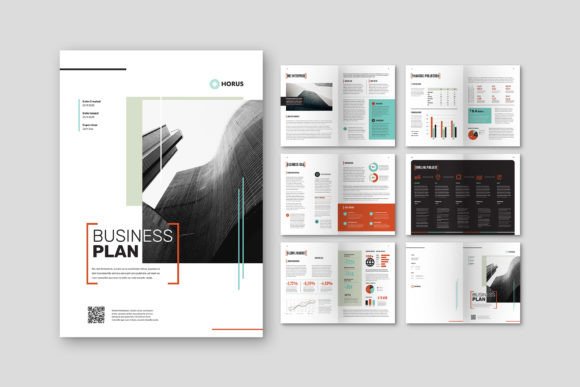
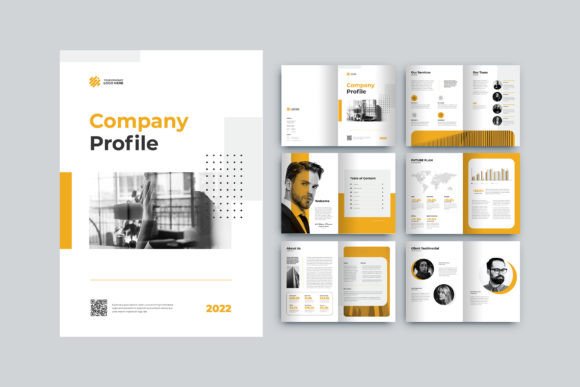
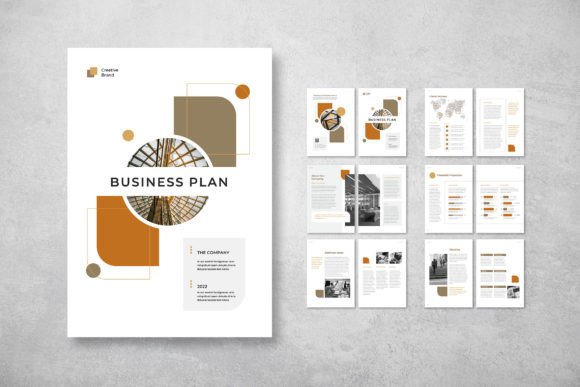
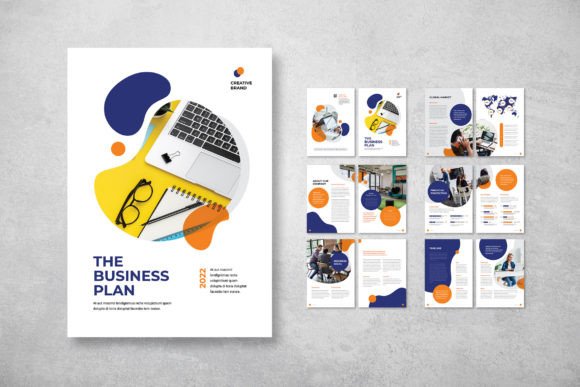
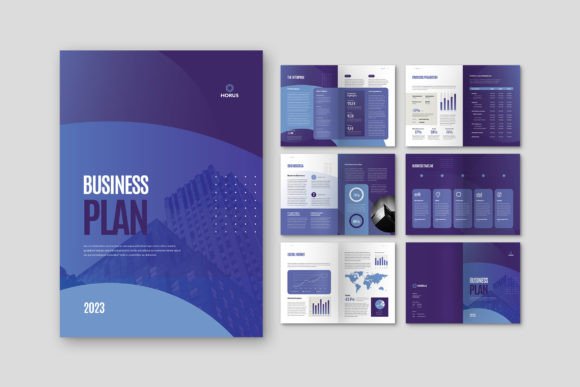
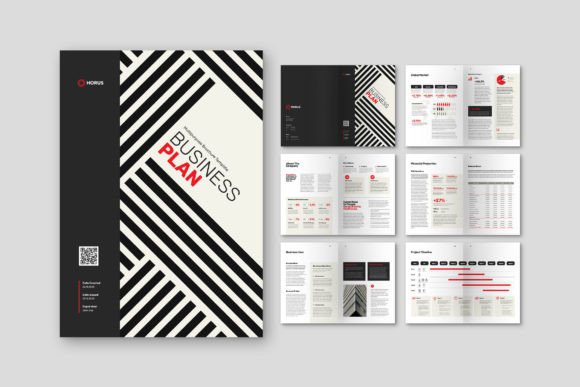
In today's competitive landscape, a professional company profile is more than just a document; it's a statement of credibility and intent. For entrepreneurs, freelancers, and small business owners looking to create one, the Business Plan Simple Company Profile template offers a compelling starting point. It’s a stylish, A4-sized InDesign template designed to elegantly blend images, infographics, and text. However, navigating the world of premium templates requires a keen eye. A great template can streamline your workflow, while a poor choice—or a misunderstanding of its use—can lead to wasted time, subpar results, and a presentation that fails to impress.
The Pitfall of Assuming "Simple" Means "Limited"
A common misconception arises from the name itself. "Business Plan Simple Company Profile" might suggest a basic, perhaps restrictive layout. This can lead users to overlook its robust features or, conversely, to expect it to perform tasks outside its scope. The "Simple" here refers to its elegant, uncluttered design philosophy and ease of customization, not a lack of capability.
This template provides 12 custom pages, including front and back covers, with neatly organized layers and smart object functionality. It’s built for the Adobe InDesign environment. Mistaking it for a simple Word document template or a static PDF would be a critical error. Attempting to edit it in another application will result in frustration and a compromised final product. The practical advice here is straightforward: ensure you have, or are willing to acquire, access to Adobe InDesign. This is the non-negotiable foundation for using this template effectively.
Overlooking the Technical Specifications
Another area where details are often glossed over involves the technical specs listed in the product description. These aren't just marketing bullet points; they are crucial for professional output.
- CMYK Format & 300 DPI: These settings are essential for professional print-ready documents. Using the template but exporting in RGB or at a lower resolution for a printed brochure will result in dull, inaccurate colors and pixelated images. Always check your final export settings match the template’s build.
- 3mm Bleed: This is a classic oversight. The bleed area ensures color and graphics run to the edge of the page after trimming. Ignoring it or placing critical text within this margin means your final printed document could have unsightly white edges or cropped content.
- Free Fonts (DaFont/Google Fonts): While this is a benefit, it requires action. The template uses specified fonts, but they are not embedded in the download. You must acquire and install them separately. Opening the INDD or IDML file without the correct fonts installed will trigger substitution, potentially ruining the meticulously designed typography.
Before you even download, make a checklist of these requirements. Confirm your printer’s specifications, download the necessary fonts, and familiarize yourself with InDesign’s bleed and export panels.
The "Preview Images" Misunderstanding
The product note states clearly: "All images are just used for preview purposes only and are NOT included in the download files." Yet, many users purchase such templates expecting a full package of stunning, ready-to-use stock photography. This leads to the immediate, disappointing discovery of placeholder frames.
The template is a layout framework. Its power lies in its structure, layer organization, and design guides—not in providing content. A better approach is to view the preview images as inspiration for the type and placement of imagery you should source. Budget and plan for your own high-quality photographs or licensed stock images that truly represent your business. Using low-resolution, unrelated personal photos in this elegant template will create a jarring contrast and undermine its professional impact.
Customization Versus Over-Customization
The template is praised for being "very easy to use and customizable." This is true, but there's a balance to strike. Beginners often either under-customize, leaving generic placeholder text that feels impersonal, or they over-customize, dismantling the core layout grid and typography hierarchy that makes the design "stylish and elegant."
For example, drastically changing the font sizes, colors, and spacing across all pages can quickly lead to a visually chaotic document. The template’s layers are "neatly organized" to help you, not to be entirely rearranged. A practical method is to follow the existing design logic. Replace the text with your compelling content, swap the images with your branded visuals, and perhaps adjust the accent color scheme to match your logo. This preserves the template’s sophisticated foundation while making it uniquely yours. Fight the urge to redesign the entire layout from scratch unless you possess advanced InDesign skills.
Choosing the Wrong File Format for Your Needs
The template includes INDD and IDML files. The INDD file is the native InDesign document, best for users with the current version of the software. The IDML (InDesign Markup Language) file is a versatile format that can be opened by older versions of InDesign, acting as a compatibility bridge. A mistake is downloading without checking which format your software version requires.
Furthermore, the included PDF document is likely a preview or example, not the editable source. Your goal is to produce your own PDF from your customized InDesign file. Ensure you understand the workflow: customize in InDesign using the correct file format, then export a high-quality, print-ready PDF with the proper bleed and CMYK settings for distribution.
Evaluating Fit for "All Project Objectives"
The description states the layout is "suitable for all project objectives." While its clean design is versatile, you should still critically assess if it fits your specific need. Is your company profile a sleek, modern tech startup presentation, or a more traditional, conservative corporate report? The template’s elegance leans modern.
Before committing, examine every page in the preview. Does the flow—from cover, through infographics, to text pages—align with the story you want to tell? Does it have the right number and type of infographic placeholders for your data? A better approach is to sketch a rough outline of your content first, then see if the template’s 12-page structure naturally accommodates it. This prevents the awkward forcing of content into unsuitable layouts later.
Ultimately, the Business Plan Simple Company Profile is a powerful tool for those prepared to use it correctly. By understanding it as a professional InDesign framework, respecting its technical parameters, sourcing your own quality imagery, customizing thoughtfully, and verifying its fit for your narrative, you can avoid common pitfalls. This transforms the template from a simple download into a genuine asset, enabling you to create a document that communicates your business vision with clarity, style, and undeniable professional polish.